Digital menus for restaurants
Stop reprinting.
Start updating
in seconds.
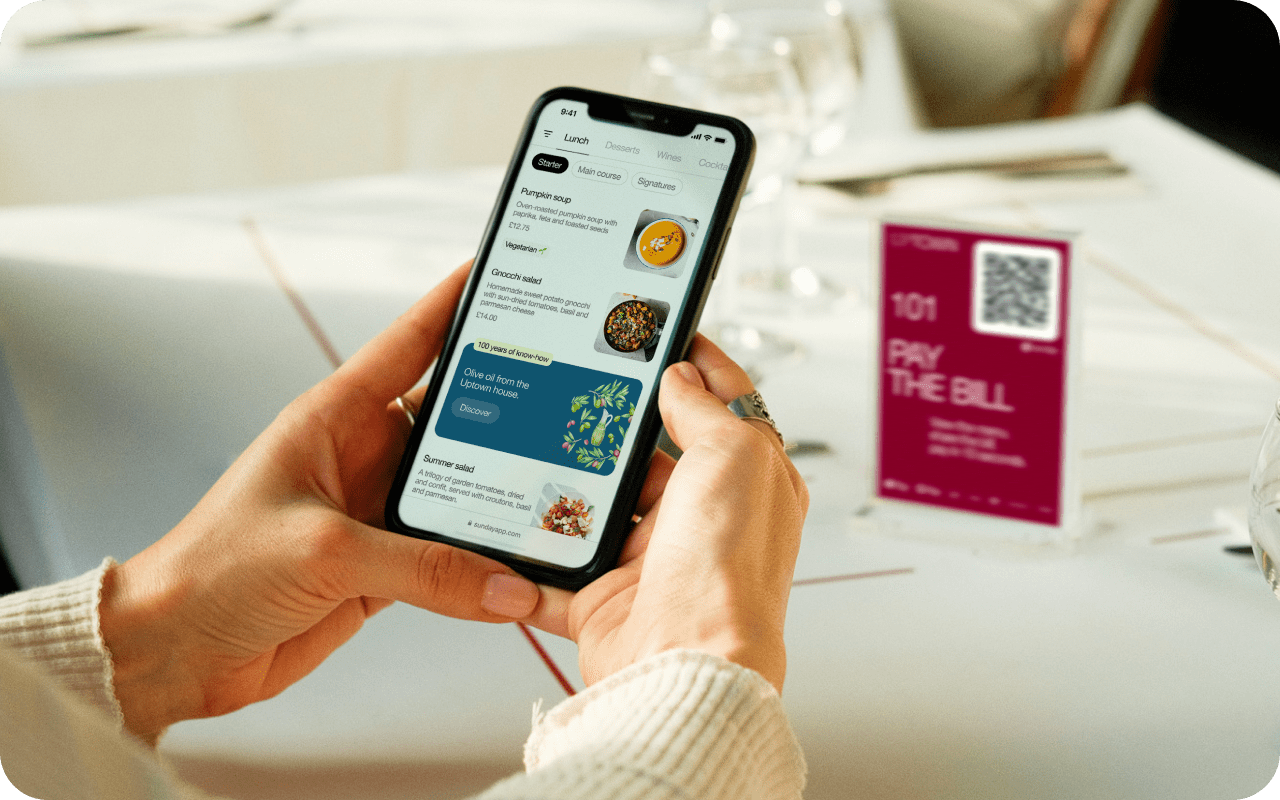
Customers scan a QR code on your table and your full menu opens on their phone — no app, no login, no waiting. You update it from anywhere, instantly.
Free to start. No credit card. Your menu live in under 10 minutes.
The Rustic Table — Dinner
Grilled sirloin steak Halal$18
Butternut soup Vegan$7
Lamb chopsSold out
Malva pudding$6
How it works
Your menu online
in three steps.
No technical skills needed. If you can fill in a form, you can have a digital menu live today.
1
Create your account
Sign up with your email. Add your restaurant name, logo, and a cover photo. Takes about two minutes.
2
Build your menu
Add categories (Starters, Mains, Drinks) and items with names, prices, photos, and dietary tags. Mark anything sold out in one tap.
3
Print your QR code
Download your QR code as a print-ready PDF. Place it on tables, at the counter, or in your window — customers scan and browse instantly.
What's included
Everything you need to
go paperless.
01
Update your menu from your phone
Change a price, add a daily special, or mark something sold out. Customers see the change the next time they scan — no reprinting, no delays.
02
Works on any phone, on slow data
Your menu page loads in under 3 seconds even on slow mobile connections. No app to download. Opens straight in the browser after a scan.
03
Dietary tags customers actually look for
Tag items as Halal, Vegetarian, Vegan, Gluten-free, or Spicy. Customers with dietary needs can see at a glance what they can order.
04
See how your menu performs
Your dashboard shows total scans, which items get the most attention, and when customers are browsing. Simple analytics, no setup required.
05
Print-ready QR codes
Download your QR as an SVG or a print-ready PDF table tent. Works at any size — from business cards to A3 wall posters.
06
Share your menu on WhatsApp
Every menu gets a shareable link. Send it in a WhatsApp message, add it to your Instagram bio, or put it on your Google Business profile.
Pricing
Start free.
Pay only when
you're ready to grow.
No commissions. No per-scan fees. Just a flat monthly rate — or nothing at all.
Free
$0
forever
- Up to 10 menu items
- QR code download (SVG + PNG)
- 100 scans / month
- 1 location
- Mobile-optimised menu page
- WhatsApp share link
Starter
$7
per month
- Unlimited menu items
- Scan analytics (7-day)
- Custom QR code colours
- Up to 10 tables with QR codes
- Dietary tags and search
- Photo uploads per item
- Customer reviews
- 2,000 scans / month
Professional
$18
per month
- Everything in Starter
- Up to 3 locations
- Unlimited tables
- Review moderation
- Menu scheduling (breakfast, lunch, dinner)
- QR code logo overlay
- Full analytics (30 + 90 day)
- 10,000 scans / month
Business
$40
per month
- Everything in Professional
- Unlimited locations
- Unlimited scans
- No “Powered by” branding
- Custom brand colours
- Priority support
Get started
Your menu,
live today.
Create your account, build your menu, and have a QR code on your tables — all for free. No credit card required, no technical skills needed.
MenuWise is built by StatoTech Systems — a software company that builds practical tools for real businesses.
Free plan, no expiry
Up to 10 menu items and 100 scans per month — free forever, with no credit card required.
Your feedback shapes the product
We're actively building. Early users get direct access to the team and a say in what gets built next — ordering, payments, and more.
Cancel or change anytime
No long-term contracts. Upgrade, downgrade, or delete your account whenever you want — no questions asked.